What Is the Game Lobby?
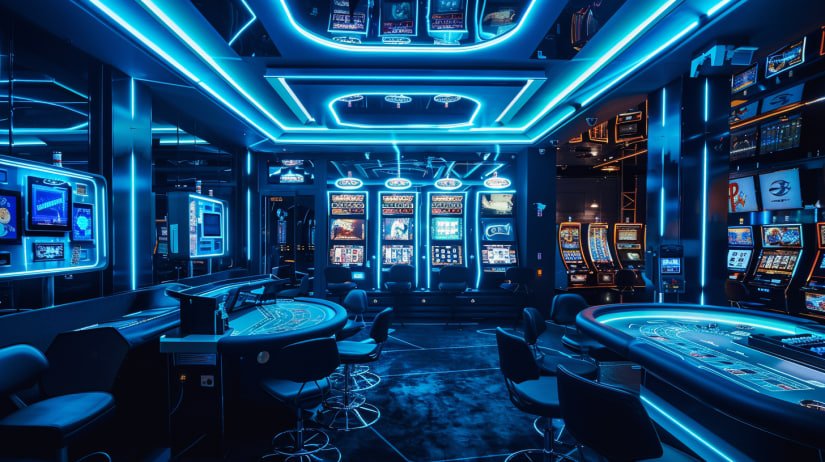
When you land on 7987 for the first time, the Game Lobby is essentially your home base. Think of it as a well-organised marketplace where every game the platform carries lives under one roof. Rather than clicking around different sections with no clear path, the lobby gives you a structured starting point – categories down the side or top, a search bar front and centre, and your recently played titles sitting right where you left them.
For players in Lahore, Karachi, Islamabad or anywhere else in Pakistan who are picking up online gaming for the first time, the lobby design is especially important. You do not want to spend ten minutes hunting for a slot or a live table when you have a free hour in the evening. The 7987 Game Lobby is laid out so that even someone who has never used an online platform before can find what they want within the first minute.
It is worth being clear about what the lobby is not. It is not a landing page full of marketing material. It is a functional tool – a place to browse, preview, search and launch games. Everything else on the site, from promotions to your wallet, is accessible from the main navigation. The lobby itself stays focused on one job: helping you get to the right game quickly.
Quick note for new players: You can browse the Game Lobby without logging in, which is useful for exploring what is available. However, you will need a 7987 account to actually launch and play any title. Creating an account is free and takes only a few minutes.
Main Game Categories in the Lobby
The lobby organises its content into distinct categories so you are never staring at an overwhelming grid of a thousand tiles with no context. Here is a breakdown of the main sections you will find.
Slot Games
Classic three-reel machines, modern video slots with bonus rounds, and jackpot titles. The largest category in the lobby by number of titles.
Sports & Betting
Cricket, football, PSL matches and other sports events. Live odds update in real time so you can bet as matches develop.
Bingo
Multiple bingo room variations ranging from 75-ball to 90-ball formats. Rooms open on a schedule so you can join live draws with other players.
Live Games
Table games hosted by real dealers streamed in real time. Available at various stake levels, with chat functionality to interact during play.
Featured & New
Titles the platform has recently added or is currently spotlighting. Good place to check if you want to try something different without scrolling the full library.
Recently Played
Logged-in players see their last several sessions here. Saves you hunting for the same game twice on a return visit.

Using Search and Filters
The search bar at the top of the lobby responds to partial matches, so if you type "cri" it will surface cricket-related content without you needing to spell out the whole word. This is handy on mobile when typing is slower. The search covers game names, provider names and sometimes category tags, depending on how the library is indexed.
Filters sit alongside or above the game grid and let you narrow by:
- Category – slots, bingo, live, sports, etc.
- Provider – the developer or studio behind a game
- Stake range – some filters let you set a minimum or maximum bet level, which is useful if you are working with a specific PKR budget
- Language or theme – where available, though this varies by game library
Filters stack, meaning you can combine category + provider + stake to get a very specific shortlist. When you remove a filter the results expand again instantly – there is no page reload needed.
Tip: If you cannot find a specific title by name, try searching by the game provider instead. Sometimes a provider has a slight variation in how the title is listed on different platforms.
Step-by-Step: Getting Around the Lobby
If this is your first time logging into 7987, here is a simple walkthrough of the lobby from the moment you land on it.
Open the Lobby
Click "Game Lobby" in the top navigation menu. If you are on mobile, tap the hamburger icon (☰) first, then tap Game Lobby. The lobby page loads your full catalogue.
Choose a Category
Use the category tabs or sidebar to filter by type – for example, click "Slot Games" to show only slot titles. The grid updates immediately.
Search or Browse
Either use the search bar if you have a specific title in mind, or just scroll through the grid. Hovering over a tile on desktop usually shows a quick preview or "Play" button.
Check the Game Details
Clicking a tile opens a detail view or launches the game directly. Some titles show minimum bet, provider name and a short description before you start. Take a moment to check the bet range if you are managing a fixed PKR budget for the session.
Launch and Play
Hit the Play button. If you are not logged in, 7987 will prompt you to sign in or register before the game loads. Once in, the game runs directly in your browser – no extra software download required.

Desktop vs Mobile: What Changes in the Lobby
Most players in Pakistan access 7987 from a smartphone. The lobby adapts cleanly to smaller screens, but there are a few differences worth knowing about so you are not surprised when switching between devices.
| Feature | Desktop | Mobile Browser |
|---|---|---|
| Category navigation | Visible sidebar or top tab bar | Horizontal scrollable tabs or dropdown |
| Game grid columns | 4–6 tiles per row | 2–3 tiles per row |
| Game tile hover preview | Yes – hover shows Play button | Tap to open detail or launch directly |
| Search bar placement | Prominent at top of lobby | May be behind a search icon to save space |
| Filter panel | Always visible alongside grid | Hidden behind "Filter" button, expands on tap |
| Live game streaming quality | Higher resolution by default | Auto-adjusts to connection speed |
| Recently played section | ✔ Visible | ✔ Visible |
| Full keyboard shortcuts | ✔ Supported | ✘ Not applicable |
If you are on a slower mobile connection – which is a common situation outside major city centres in Pakistan – the lobby may take a moment longer to populate the game thumbnails. The tiles load progressively, so you do not need to wait for the full grid before you can start scrolling or searching.
Account Controls Inside the Lobby
When you are logged into 7987, the lobby gives you access to a few account-level controls without needing to leave the page. The exact placement depends on the current interface version, but you can generally expect to find the following nearby:
- Balance display – your current PKR wallet balance, usually shown in the header near the account icon
- Deposit shortcut – a quick-access button or link to top up your account via Easypaisa, JazzCash, bank transfer or card, depending on what payment methods are active for your account
- Session history – a summary of recent game sessions, accessible from your profile menu
- Responsible gaming limits – deposit limits, session time reminders and self-exclusion options are accessible from account settings
- Notifications – alerts for new promotions, bonus activations or account messages
None of these controls are buried deep in settings menus. 7987 keeps them accessible from the lobby level because that is where players spend most of their active time on the platform.

Lobby Terminology: A Plain-English Glossary
If you are new to online gaming platforms, some of the labels and terms inside the 7987 Game Lobby might seem unfamiliar at first. Here is a quick reference.
Practical Tips for Pakistani Players
A few things that come up regularly for players based in Pakistan when using the 7987 Game Lobby:
- Set your preferred language and currency on first login. Ensuring PKR is set as your display currency avoids any confusion when checking bet amounts or balance.
- Check the minimum bet before launching a game. Some live table games have higher entry points than slots. If you are on a modest budget, the lobby filters for stake range are genuinely useful.
- Cricket and PSL events appear under Sports. During a live PSL match, the sports section of the lobby will show real-time odds. These update frequently so the numbers you see when you open the page may change within seconds.
- Mobile data usage for live games. Live streamed dealer games consume more data than standard slots. If you are on a limited mobile data plan, standard slot games are the lighter option.
- Lobby promotions are time-sensitive. Any promotional banners you see inside the lobby may have expiry dates or limited availability. Check the Promotion page for full terms before opting in.
Frequently Asked Questions
Common questions from players who are new to the 7987 Game Lobby.